 quiki.io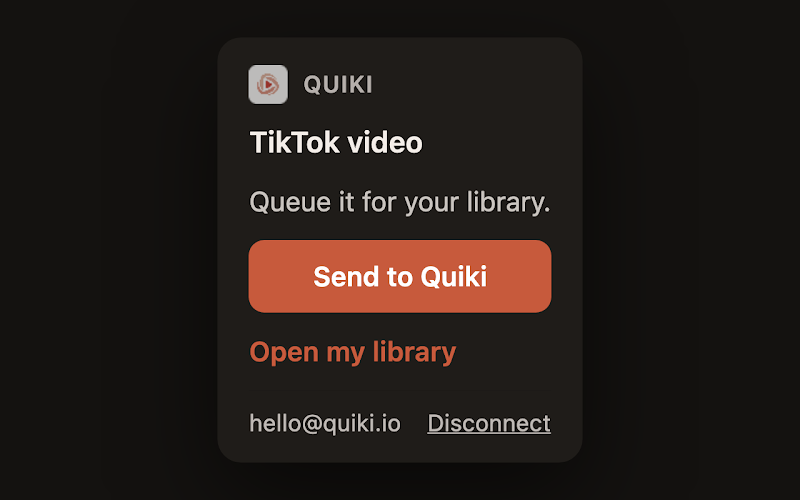
Send to Quiki for Chrome: Save videos from your desktop in one click
Send to Quiki adds one button to Chrome. Open a TikTok, Instagram or YouTube video, click Send to Quiki, and it is queued and filed in your library, ready to search.
Send to Quiki is now in the Chrome Web Store. It is the easiest way to save TikTok from Chrome, and it works just as well for Instagram and YouTube: open the video, click the Quiki button, and it is queued in your Quiki library, scanned and filed by topic, ready to search the next time you open Quiki.
Plenty of us watch videos on a laptop too. You follow a link from a newsletter, a colleague drops a YouTube tutorial in chat, or you lose an evening to TikTok in a browser tab. Until now, saving one of those to Quiki meant copying the link, opening the Quiki dashboard, and pasting it in by hand. It works, but it is enough friction that the video usually gets left in a tab and forgotten.
How to save TikTok videos from Chrome
- Install Send to Quiki from the Chrome Web Store.
- Connect it to your account once. Click Connect Quiki in the popup. It opens quiki.io, you approve, and you are done. You never type a password into the extension.
- Open a video on TikTok, Instagram or YouTube. Click the Quiki button in the toolbar, then Send to Quiki.
The popup confirms it with "Sent. It will be in your library in a minute." and the toolbar icon shows a tick, so you can close the tab and carry on.
Right-click works too. On TikTok, Instagram and YouTube, right-click any video link and choose Send to Quiki. That is handy on a profile or a results page full of videos, where you want to save one without opening it first.
What happens after you click
A video sent from Chrome goes into the same queue as a link you paste on the website or share from your phone.
- It is queued straight away. Quiki fetches the title, creator, thumbnail and metadata.
- It is filed by category, so it lands in a folder next to similar videos you have already saved.
- It is searchable. Look it up later by title, creator, hashtag or a phrase from the summary.
The same rules apply as on the website. Instagram needs credits, and free accounts have a daily scan limit. If you hit either, the popup tells you instead of failing quietly, with a link to add credits.
What the extension can and cannot see
We kept the extension deliberately small.
- It only acts when you click. It sends the URL of a video when you click Send to Quiki or use the right-click item, and nothing else.
- It does not read your browsing. It does not read page content, browsing history, cookies or form data, and it does not run on any page.
- It talks to one server. The only place it sends anything is Quiki's own API.
- Your connection stays on this computer. The access token is kept in the browser's local storage, not synced.
- You can disconnect any time. Your Account page on quiki.io lists every connected browser with a Disconnect button.
Which browsers it works in
Send to Quiki is built and tested for Chrome. Other Chromium browsers, such as Microsoft Edge and Brave, can install extensions from the Chrome Web Store, so it usually works there too. Safari and Firefox are not supported yet.
Why we built it
The best habit in Quiki is saving a video the moment you see it, so you never have to remember to come back. On a phone, the share sheet already made that one tap. On a computer there was no equivalent, and that gap mattered: a video you mean to save later is usually a video you never save. The extension makes the desktop match the phone.
On your phone as well
Send to Quiki is also built into the Quiki apps. Quiki for iPhone adds it to the iOS share sheet, and Quiki for Android, which launched the same day as this extension, adds it to the Android share sheet. All three send to one library.
Want to know what else you can do with that library? Read how to search your saved TikToks, or see the full routine on How to use Quiki.
Try it now
The extension needs a free Quiki account. Add Send to Quiki from the Chrome Web Store, connect it once, and send the next video you want to keep. Step-by-step instructions for every device are on Send to Quiki.
Your saved videos miss you. Go find them.
Join the creators, marketers, and agencies using Quiki.io to organize their video hoard.