quiki.io
Save any video from your phone. Find it in seconds.
Quiki for Android puts your TikTok, Instagram Reels, and YouTube Shorts into one searchable library. Share a video from any app and Quiki captures it.
Get it on Google PlayThree taps and it is saved
See a video you want to keep
Spot a TikTok, Reel, or Short worth saving. Tap Share in the app, exactly as you would to send it to a friend.
Choose "Send to Quiki"
Quiki appears in the Android share sheet. If it is not in the first row, tap More. One tap sends the video to your library. No copying links, no switching apps.
Find it in seconds later
Open Quiki and search by topic, creator, keyword, or phrase from the transcript. Your video is there, organised and searchable.
Your saved videos, finally searchable
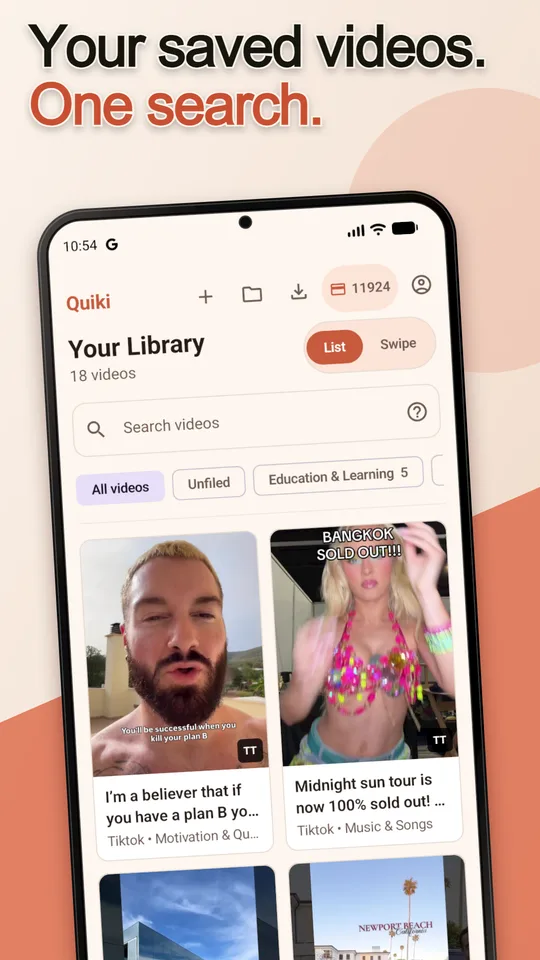
The problem with saving videos is finding them again. Platform saved tabs are cluttered, unsearchable, and break when creators delete content. Quiki gives every video you save a transcript and AI summary so you can search by what was said, not just who posted it.
- Transcript search. Find a video by a phrase you remember hearing, even if you forgot who posted it.
- Folders. Organise by topic, project, or mood. Move videos between folders any time.
- AI summaries. Each deep scan gives you a structured summary so you can skim your library fast.
- One library everywhere. The same account works on the website, so everything you send from your phone is there on your computer too.
Works across every short-form platform
TikTok
Save any TikTok video to your library in one tap. Quiki fetches the metadata and transcript so you can search it later.
Instagram Reels
Reels disappear from your saved tab fast. Send them to Quiki before they vanish and keep them organised in folders.
YouTube Shorts
Short-form YouTube content is easy to lose track of. Quiki indexes Shorts alongside your TikToks and Reels in one place.
Free to get started
Download Quiki for free and start saving videos from the share sheet straight away. The free plan includes quick scans (metadata and title) so you can build your library without spending anything.
When you want full transcripts and AI analysis, upgrade to PRO with a credit pack, bought in the app through Google Play. Credits never expire. Buy once and use them at your own pace.
Stop losing videos. Start finding them.
Quiki is free on Google Play. Save your first video in under a minute using the Android share sheet.