 quiki.io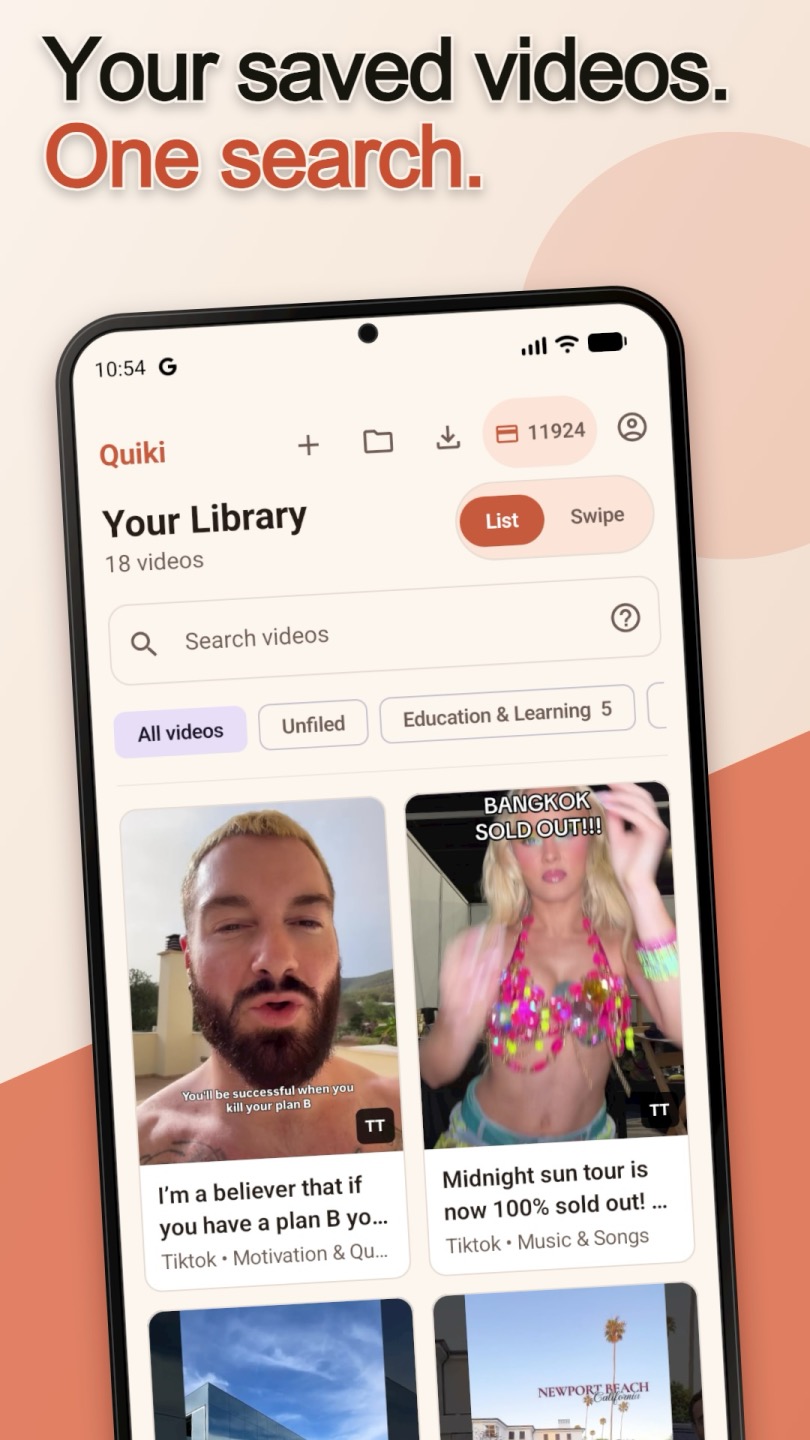
Quiki is on Android: Send to Quiki from any app's Share button
Quiki for Android is live on Google Play. Tap Share on a TikTok, Reel or Short, choose Send to Quiki, and the video is queued and filed in your searchable library while you keep scrolling.
The Quiki Android app is live on Google Play. Install it, sign in, and "Send to Quiki" appears in the Android share sheet, so any TikTok, Instagram Reel or YouTube Short you want to keep goes into one searchable library with a tap.
Until now, the answer on an Android phone was "use the website". That meant copying a link, opening a browser, and pasting it into Quiki, which is exactly the kind of friction that makes you think "I'll do it later" and then never do it. The video stays buried in a saved tab you cannot search, next to hundreds of others.
Quiki for Android removes that step. It went live on Google Play on September 19, 2026.
How the Quiki Android app works
- Install Quiki from Google Play and sign in. It is the same account you use on the website.
- Tap Share on a video you want to keep. In TikTok, Instagram or YouTube, tap Share, exactly as you would to send it to a friend. If Quiki is not in the first row, tap More to open the full Android share sheet.
- Choose Send to Quiki. The video is queued and filed in your library, and you can go straight back to scrolling.
That is the whole habit. No copying links and no switching apps.
What Quiki does with the video
Once a video arrives, Quiki processes it in the background.
- Quick scan. The title, creator handle, thumbnail and basic metadata, fetched in seconds. Free on the free plan.
- Transcript (PRO). A full transcript with timestamps, so you can find a video by a phrase you remember hearing, even if you forgot who posted it.
- AI summary (deep scan). A structured summary with the content type, key points and topic tags, for skimming a big library quickly.
- Folders. Videos are filed by category automatically, and you can organize by topic, project or mood and move videos between folders any time.
One library on your phone and your computer
The Android app uses the same account as the website, so everything you send from your phone is there on your computer too, and everything you imported on the web is on your phone. Search by topic, creator, keyword or a phrase from the transcript, and your TikToks, Reels and Shorts come back together instead of living in three separate saved tabs.
If one platform accounts for most of your saves, our guides to organizing a TikTok library, Instagram Reels and YouTube Shorts go deeper.
Free to get started
Quiki is free on Google Play, and the free plan includes quick scans (metadata and title), so you can start building your library without spending anything. Instagram Reels use credits.
When you want full transcripts and AI analysis, upgrade to PRO with a credit pack, bought in the app through Google Play. Credits never expire, so you can buy once and use them at your own pace. See the packs on the pricing page. A credit pack also includes bulk import, the fastest way to bring your existing saved videos across.
Why we built it
The share sheet is where saving already happens. Quiki has been on iPhone since June, and the most useful thing it does is small: it turns "I should save this somewhere" into one tap. Android users deserved the same thing without a detour through the browser, so we built it, and it talks to the same Quiki backend and the same library as every other way in.
Also on iPhone and in Chrome
Quiki for Android joins Quiki for iPhone, which works the same way through the iOS share sheet. On a laptop, the Send to Quiki Chrome extension launched on the same day as the Android app and sends the video you are watching with one click. Whichever you use, it all ends up in one place.
Try it now
Get Quiki on Google Play, sign in, and share the next video you want to keep. For more detail, visit the Quiki for Android page, or see every way to save a video on Send to Quiki.
Your saved videos miss you. Go find them.
Join the creators, marketers, and agencies using Quiki.io to organize their video hoard.