 quiki.io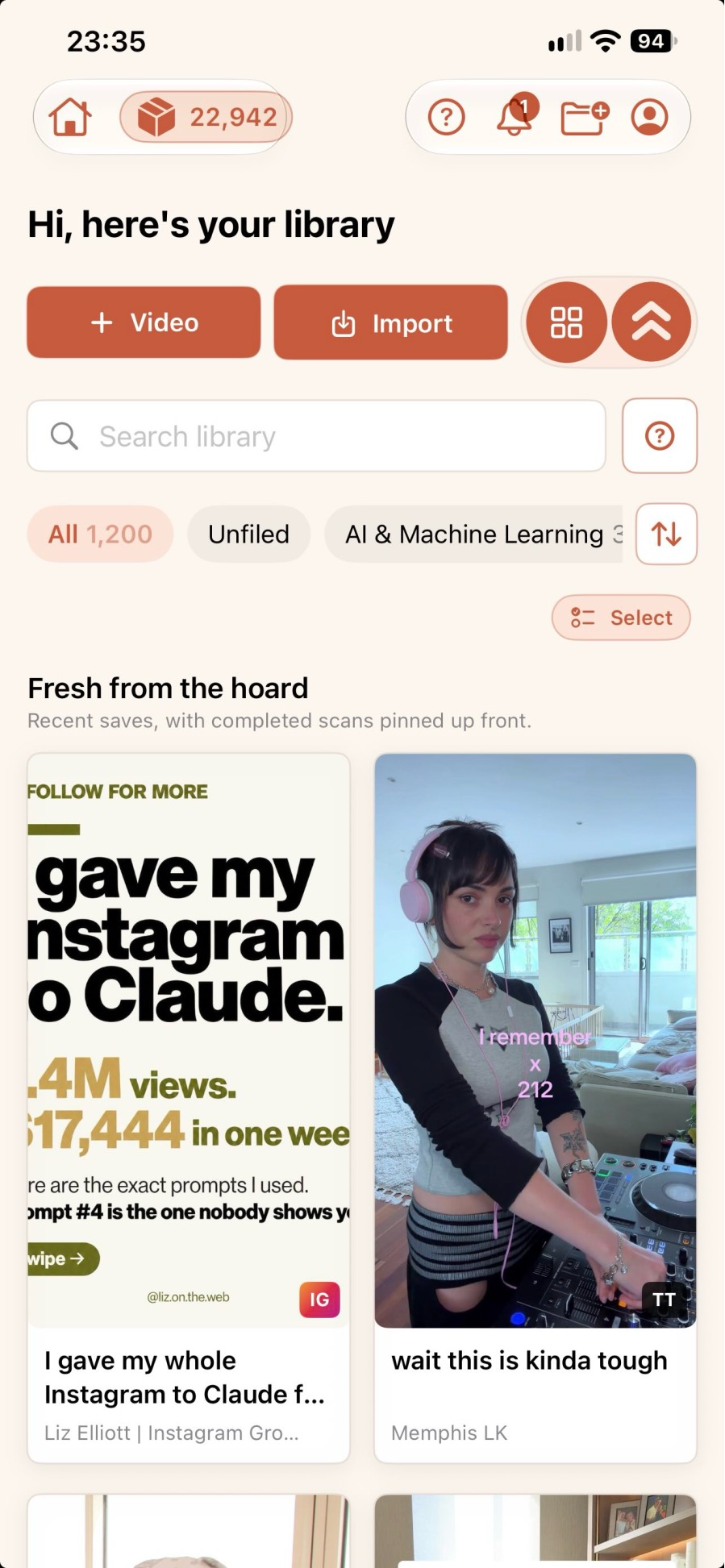
Quiki is on iPhone: save any video from your share sheet
The Quiki iPhone app puts your TikToks, Instagram Reels and YouTube Shorts into one searchable library. Tap share, tap Quiki, keep scrolling. It is free on the App Store.
The Quiki iPhone app is on the App Store. It adds Quiki to your iOS share sheet, so a TikTok, an Instagram Reel or a YouTube Short goes into your Quiki library with a single tap, and you can find it again later by searching instead of scrolling.
We all save videos on our phones, because that is where we watch them. A recipe on TikTok, a stretch routine on Instagram, a quick fix on YouTube. Each app keeps its own saved tab, none of them talk to each other, and none of them let you search for the thing you half remember hearing. So the saves pile up and the good ones get lost.
Quiki already solves that on the website. The iPhone app brings it to the place where you actually find the videos.
How the Quiki iPhone app works
Saving a video takes three taps, and you never leave the app you are in.
- See a video you want to keep. Tap the share icon in TikTok, Instagram or YouTube, exactly as you would to send it to a friend.
- Tap Send to Quiki. Quiki appears in your iOS share sheet. On TikTok, scroll the row of apps across until you see it. On Instagram and YouTube, tap More and choose Quiki.
- Keep scrolling. The link is captured and queued the moment you tap, so you can close the share sheet straight away. No copying links, no switching apps, no pasting.
It works from Safari too. Open a TikTok or YouTube link in the browser, tap the share button, and send it to Quiki the same way.
Tip: in the share sheet, scroll to the end of the app row, tap Edit Actions, and move Quiki into your Favorites. It will then be in view every time, with no scrolling.
What happens after you tap Quiki
The work happens in the background while you carry on watching.
- The basics, in seconds. Quiki fetches the title, creator handle, thumbnail and metadata. This is the quick scan, and it costs nothing on the free plan.
- Transcripts on PRO. PRO users also get a full transcript with timestamps. That is what powers transcript search: finding a video by a phrase you remember hearing.
- An AI summary on a deep scan. A deep scan adds a structured summary with the content type, key points and topic tags, so you can skim a large library fast.
- Folders that fill themselves. Videos are filed by category, so a recipe you sent from Instagram sits next to the one you saved from TikTok.
Find it again in seconds
Open Quiki and search by topic, creator, keyword or a phrase from the transcript. Your TikToks, Reels and Shorts sit together in one library, and it is the same account and the same library as the website, so anything you send from your phone is waiting for you at quiki.io too.
If you mostly save from one place, see how Quiki works as a TikTok video organizer, an Instagram Reels organizer or a YouTube Shorts organizer.
Free to get started
The app is free to download, and the free plan includes quick scans (title and metadata), so you can build your library without spending anything. Instagram Reels use credits.
When you want full transcripts and AI analysis, a credit pack upgrades you to PRO. You can buy one right inside the app, credits never expire, and you use them at your own pace. The packs are on the pricing page.
Why we built it
Most saving happens on a phone, in the moment, with one thumb. The website has always been the best way to bring a whole backlog of saved videos across in one go, and bulk import still comes with any credit pack. But the habit that makes a library grow on its own is catching a video while you scroll, and on a phone that should cost one tap, not a copy, a paste and an app switch.
So we put Quiki where the Share button already is.
Also on Android and in Chrome
The iPhone app is not the only way in. Quiki for Android adds the same Send to Quiki option to the Android share sheet, and the Send to Quiki Chrome extension does the job on your computer with one click. Everything lands in the same library.
Try it now
Download Quiki on the App Store, sign in, and send the next video you want to keep. For a walkthrough with screen recordings of TikTok, Instagram and YouTube, see Send to Quiki, or read more on the Quiki for iOS page.
Your saved videos miss you. Go find them.
Join the creators, marketers, and agencies using Quiki.io to organize their video hoard.