 quiki.io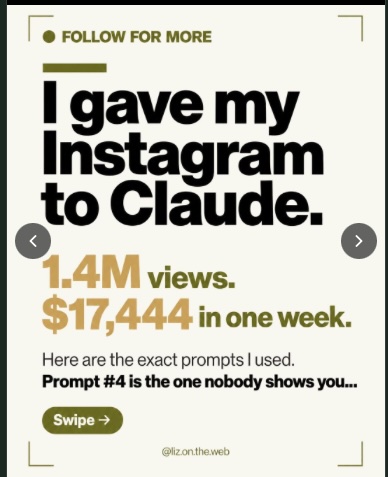
Instagram photo posts and carousels now work in Quiki
Quiki used to handle Instagram posts with video only, so photo posts and carousels failed. Now they scan like everything else: every image in a carousel viewer, a summary from the caption, and a place in your searchable library.
Quiki now saves Instagram photo posts and carousels, not just Reels. Send a single-image post or a multi-image carousel to Quiki and it scans like any other save: every image in a carousel viewer, a written summary of the post, and a spot in your library you can search.
If you save things on Instagram, you know that not all of it is video. A carousel of travel tips. A step-by-step recipe spread over ten slides. A screenshot of a book list someone posted. Those are often the posts you most want to find again, because they are dense with information you meant to use later.
Until now, Quiki could not handle them. We only knew how to process Instagram posts that had a video in them. Send a photo post or a carousel, and the scan failed, without a helpful explanation. If you bulk imported your Instagram saves, every photo and carousel in the file failed the same way. That was the wrong answer, and it is fixed.
Instagram carousels, saved properly
Here is what you get when you save a photo post or a carousel:
- Every image, in order. On the web, the video detail page shows a carousel viewer instead of a play button. Step through the images with the previous and next arrows, just as you would flip through them on Instagram.
- Images that last. Instagram's image links expire after a while, so a carousel that looked fine today could quietly empty out weeks later. Quiki now keeps its own copy of the carousel images (up to 20 per post), so your saves keep showing their images after Instagram's links stop working.
- A real summary in the Overview. Quiki writes a short summary of the post and shows it in the Overview tab, so you can tell at a glance what it was and why you saved it.
- Searchable like everything else. Search by the creator, a hashtag, or a phrase from the caption or summary, and the post turns up next to your videos.
What the summary is based on
We want to be straight about this. For photo posts, Quiki builds the summary from the caption and hashtags. It does not look at the images themselves. That means a post with a detailed caption gets a detailed summary, and a post captioned "weekend in Lisbon" gets a summary that says just that, rather than a guess about what is in the photos.
We think that is the right trade. A summary that confidently describes things nobody checked is worse than a short one you can trust. You can read more about how we approach this in Summaries you will remember.
Because there is no audio, photo posts do not have a Transcript tab or a Detailed tab. The Overview and the image viewer are where everything lives.
A few details
- Instagram uses credits. Photo posts and carousels are charged at the normal Instagram rate, the same as a Reel. They used to fail, and failed scans are never charged, so this is new. See pricing.
- Private posts get a clear answer. If a post is private or has been deleted, the scan now tells you so ("This post is no longer available") instead of failing with a generic error.
- TikTok photo posts were already supported, and still are.
Why we built it
We found this the hard way. Someone imported a batch of their saved Instagram posts, and a large share of them failed with no explanation. When we looked, every single one of those "failures" was a photo post, a carousel, or a private post. The data was there the whole time. We were throwing it away.
A library you cannot trust to hold everything you saved is not much of a library. Your Instagram saves are a mix of Reels, photos and carousels, so Quiki should handle all three.
Try it now
Open Instagram, find a carousel you saved, and send it to Quiki from the share sheet on iPhone or Android, or with the Send to Quiki Chrome extension. Not sure which way suits you? Here is every way to save a video to Quiki. Then open it in your library and flip through.
Your saved videos miss you. Go find them.
Join the creators, marketers, and agencies using Quiki.io to organize their video hoard.