 quiki.io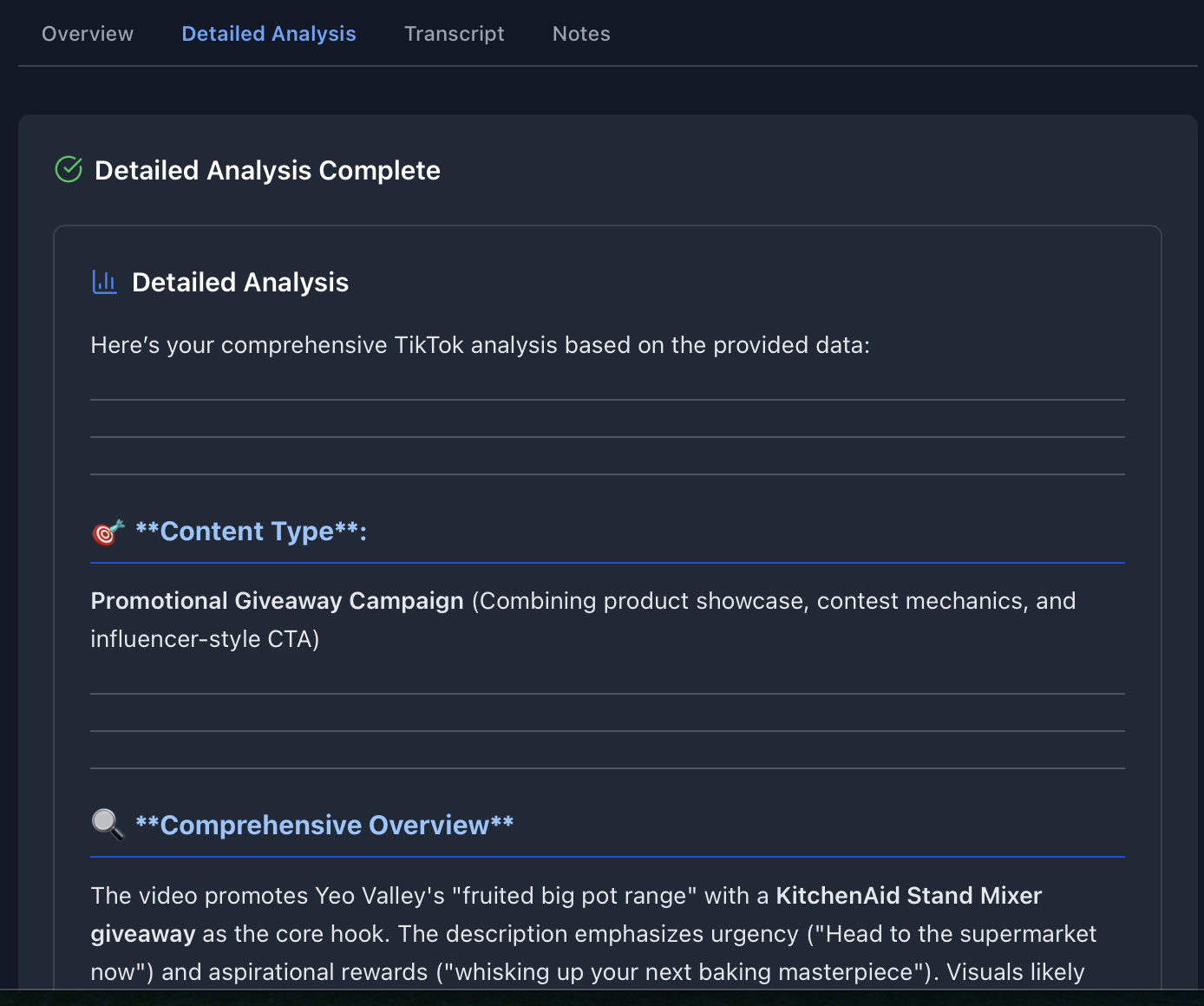
What Is Frame-by-Frame AI Analysis and Why It Matters for Marketing?
TL;DR
- Quiki samples key visual moments across a video to understand hooks, overlays, product presence, and CTAs.
- Those internal findings are fused with captions/metadata and delivered as a Detailed Analysis (an Agency tier exclusive).
- You don’t see frames. Rather, you see clear, marketer-ready sections: Content Type, Visual Production, Engagement Strategy, Brand-Safety notes, and more.
- Use it to brief creators faster, standardize formats, and scale what works.
Why transcripts alone miss the mark
Transcripts tell you what was said. However connecting to the connect through emotions often hinges on what was shown:
- A bold claim or price flash in the first frame
- On-screen subtitles or arrows guiding attention
- Product usage or before/after proof shots
- End-cards and CTAs that drive the click
Frame-by-frame AI analysis captures these visual beats internally and distills them into findings you can search, compare, and brief against.
How Quiki’s analysis shows up (without showing frames)
Quiki extracts and processes with AI representative stills across the video (up to ~30 for typical short-form) to detect:
- Hook type & timing (question, contrarian, POV, promise)
- On-screen cue mapping (subtitles, stickers, price tags, arrows, timers)
- Product presence & proof (packaging in shot, usage moments, reveals)
- Pacing & edit patterns (jump cuts, cut density, B-roll inserts)
- Brand-safety signals (risky props, background signage, sensitive symbols)
You don’t receive the frames themselves. Instead, these signals power the Detailed Analysis report where you see clean sections and some clear takeaways.
Inside the Detailed Analysis Report (what you actually get)
Your report typically includes:
-
🎯 Content Type What format and intent the video uses (e.g., “UGC testimonial with direct CTA”).
-
📹 Visual Production Analysis Camera setup, composition, lighting, edit pace, use of on-screen text—summarized so editors know what to replicate.
-
📝 Content & Script Insights Narrative structure, key messages, tone, and must-say lines inferred from captions/metadata.
-
🎯 Engagement Strategy Hook effectiveness, retention tactics, CTA placement and style (e.g., “CTA card appears ~last 3s; subtitle prompt throughout”).
-
🧠 Deep Content Insights Likely audience, psychological triggers (scarcity, aspiration, community), originality and production investment.
-
🛡️ Brand-Safety Notes Potential risk indicators detected visually.
-
📈 Performance & Virality Prediction Directional assessment of engagement potential and posting strategy suggestions.
-
🏷️ Comprehensive Keywords Searchable terms to organize and retrieve the asset later.
A quick example (how internal visuals translate to usable insights)
Take a giveaway Reel like the Yeo Valley × KitchenAid promo. Even without exposing frames, the Detailed Analysis can surface:
- Content Type: Promotional giveaway with product showcase + contest CTA.
- Visual Production: High-res product close-ups, vibrant color palette, prize visuals; fast cuts; likely text overlays clarifying mechanics.
- Engagement Strategy: Prize reveal in first seconds; urgency cues (“limited time,” “weekly draws”); clear bio/website CTA.
- Brand-Safety & Compliance: Age/location qualifiers surfaced; “retain receipt”-style notes flagged for clarity.
- Optimization Ideas: Add UGC reactions, recipe micro-demos, or end-card save prompts to lift shares/saves.
All of that comes from Quiki’s internal read of the visual timeline—and lands in your report as concise, client-ready language.
Why the “sampled frames” approach works for marketers
- Covers the moments that matter: A representative sweep of the timeline captures hooks, reveals, and CTAs without drowning you in noise.
- Fast enough for real workflows: Agencies can analyze dozens of videos per sprint and still make decisions the same day.
- Standardizes creative feedback: Everyone talks about the same beats (“hook at 0–3s,” “overlay clarifies offer,” “CTA appears on end-card”).
Use cases that speed up your team
-
Creator shortlisting Filter candidates by format (“tutorial,” “captions,” “product first”) and pick with proof.
-
Briefs that don’t get misread Convert findings into repeatable directions: “Open with explicit claim; product in hand by 3s; subtitles on; CTA card in last 3s.”
-
Competitive teardown decks Compare pacing, overlays, and CTA styles across brands; extract the repeatable patterns.
-
Brand-safety QA Catch potential issues suggested by the visuals before client approval.
Quick Analysis vs. Detailed Analysis
- Quick Analysis (all users): Fast, metadata-led insights to sort and triage.
- Detailed Analysis (Agency tier): Timeline-aware, visually informed reporting for brief creation, approvals, and strategy.
FAQs
Do I get to see the frames themselves? No. The frame sampling happens privately. You receive summarized insights in the Detailed Analysis which takes about 2 minutes to run per video in the background.
How precise is the timing? Reports call out approximate moments (e.g., “CTA near the end”) sufficient for creative direction and editing checklists.
Which platforms are supported? TikTok and Instagram Reels. YouTube shorts coming soon.
Try it on your next campaign
- Create a Campaign folder in Quiki.
- Paste 10–20 creator or competitor links (or move these videos over from your bulk import).
- Run Detailed Analysis (Agency) by pressing the button in the "Detailed Analysis" tab.
- Turn the report sections into a one-page brief: hook, visual beats, must-have overlays, CTA timing.
Frame-by-frame AI analysis can then be delivered as clear and actionable insights.
Your saved videos miss you. Go find them.
Join the creators, marketers, and agencies using Quiki.io to organize their video hoard.